
Digital business card
Never lose a business card again.
Create your card for free and share it by bringing phones together, by QR or as a link. Add it to Apple Wallet and Google Wallet, scan paper cards with AI. Everyone you meet in one list, and the other person doesn't need to install anything.
No credit card needed.
Demo card
A fictional person, shown exactly as a visitor sees it on their phone.
Tap the card to see the QR side
Who it's for
Everyone
Tired of cards that wear out in your wallet or vanish in a drawer? Your card lives on your phone and stays up to date everywhere.
Sales and business development
Everyone you meet lands in Connections. Search, take notes, save to contacts, export to Excel; never miss a follow-up.
Trade fairs
The easiest way to capture booth visitors. Bring phones together or scan their card; when the fair ends, every connection is waiting in its event.
How xhibits.app works
From your card to your connections list in three steps.
- 1
Create your card
In the app or on the web, with your photo, title, company, contact details, location and social links.
- 2
Exchange contacts
Bring phones together: your card link goes over AirDrop, and when both sides have xhibits.app, cards are swapped both ways over Bluetooth. Your QR is always ready.
- 3
Manage your connections
Everyone you met is in Connections. Search, filter by event, save to contacts, export to Excel.
The basics
- No app needed on the other side
- Sharing via AirDrop, Bluetooth and QR
- Apple Wallet and Google Wallet
- Card scanning with QR and AI
- Connections grouped by event
- Start free, Pro is $3.99 / month (first month free)
Everything your business card can do
Share, scan, save and follow up, all in one place.
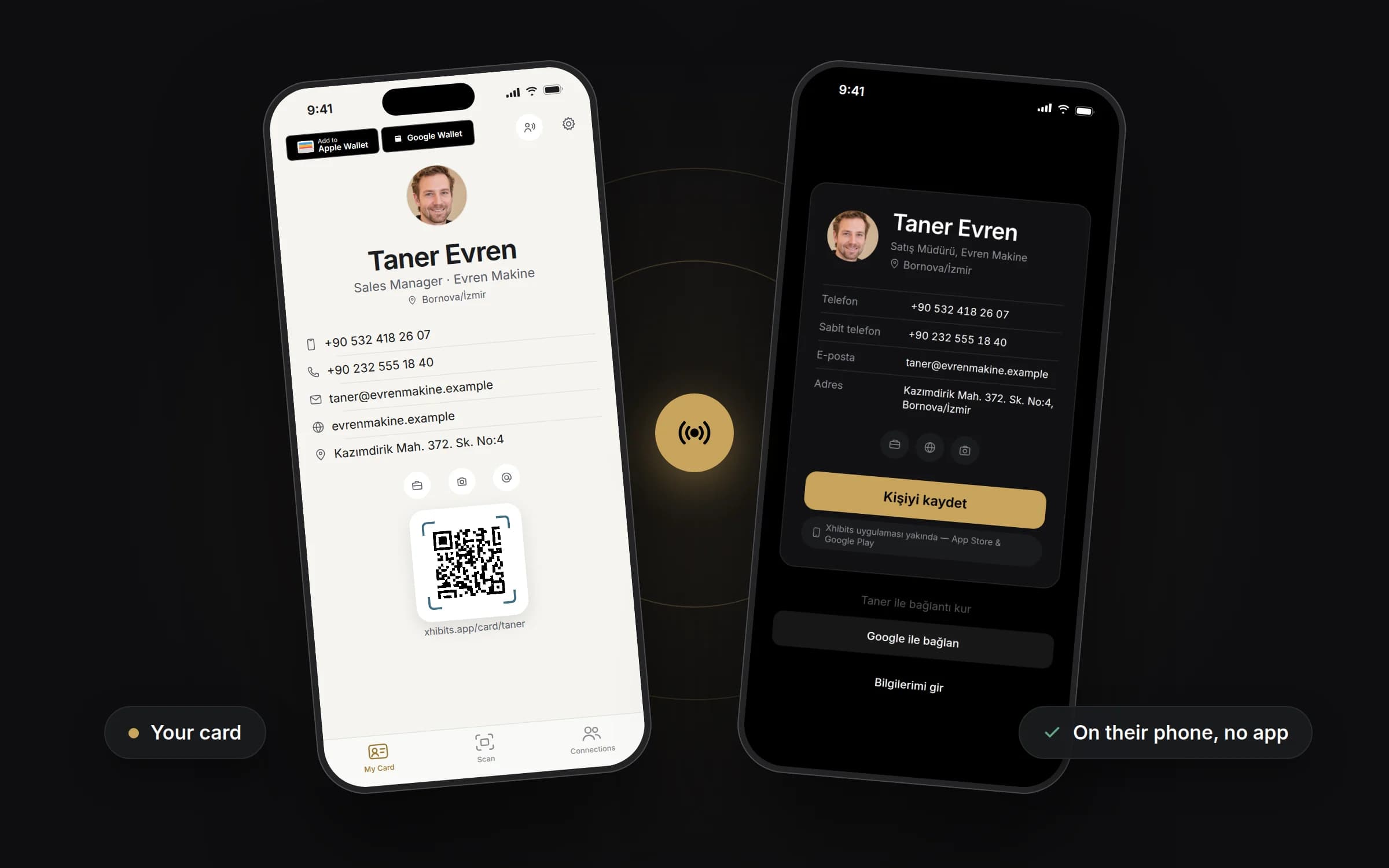
Your card, on their phone
In the app your card is ready with your photo, contact details, social links and QR code. Send it via AirDrop, QR or a link and it opens in their browser, no app needed; they save it to contacts in one tap.
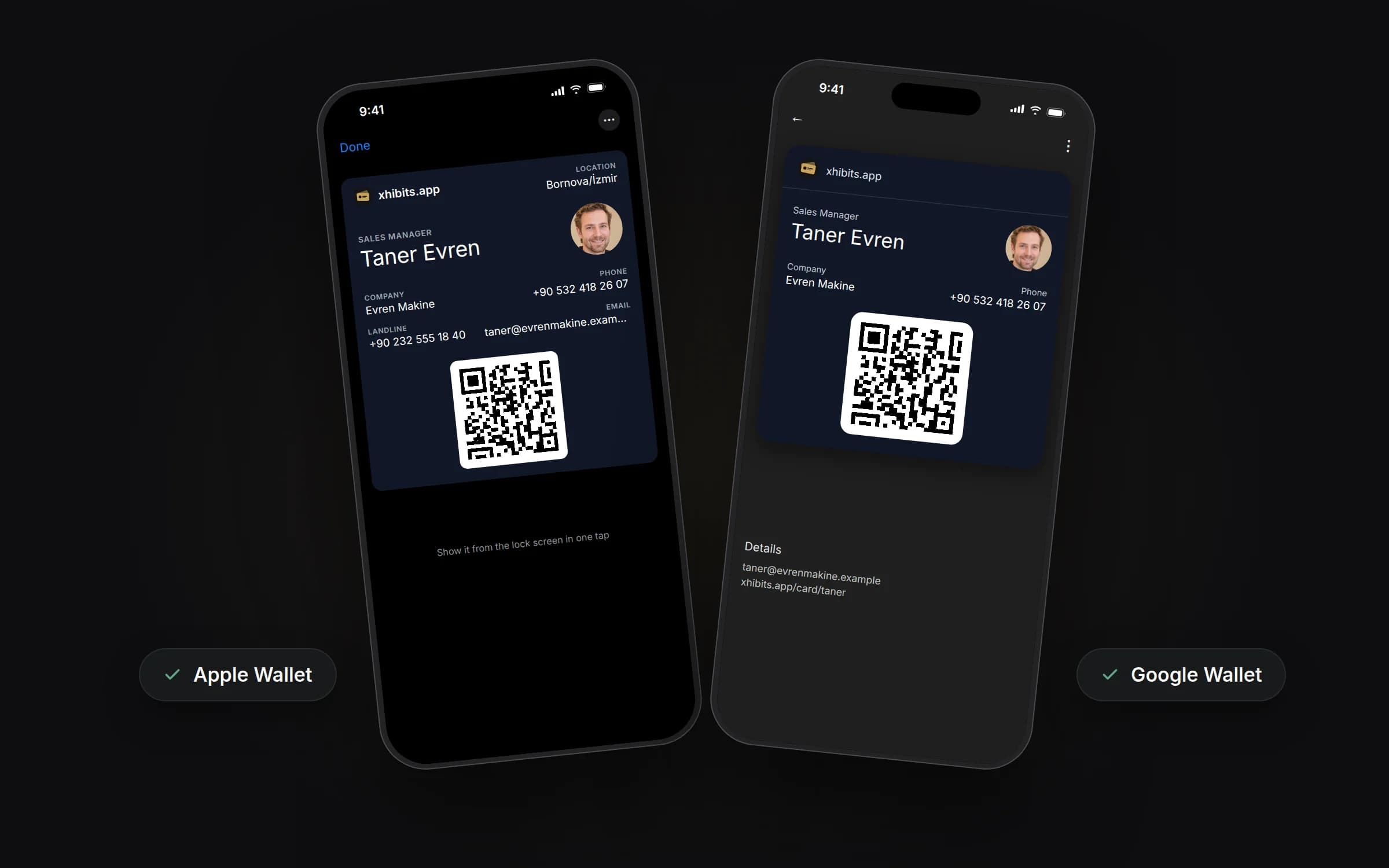
In Apple Wallet and Google Wallet
Add your card to your wallet, show it from the lock screen in one tap and let people scan your QR. Your photo, title and contact details are right on the pass.
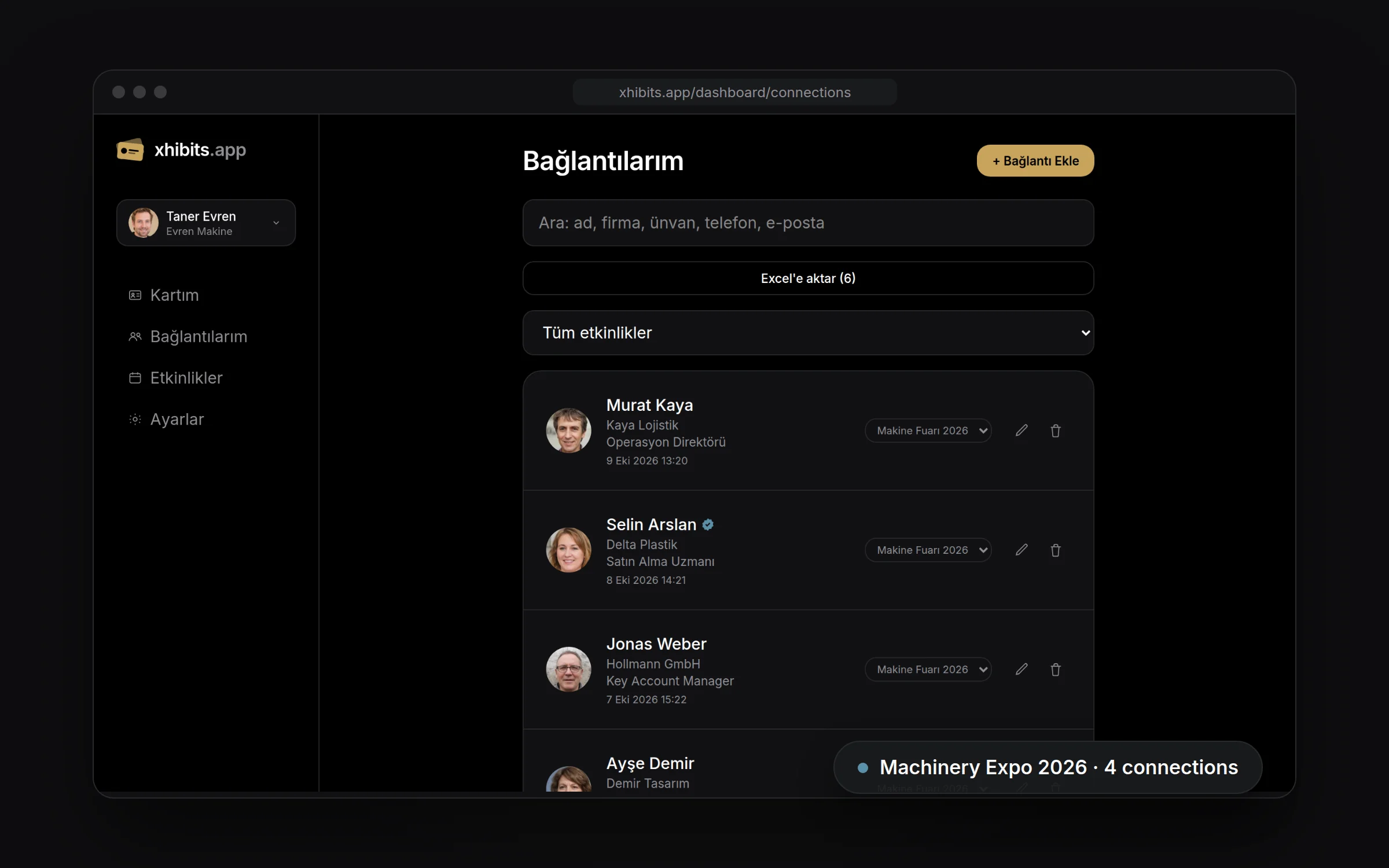
Everyone you met, in one list
Search Connections, filter by event, edit or export to Excel. Connections who are xhibits.app members get a badge.
Manage it on the web
Edit your card and connections from the xhibits.app dashboard; changes show up everywhere you shared it.
Events
Create an event for a fair or meeting; connections you make on those dates are linked to it automatically.
Search and export
Search by name, company, title, phone or email. Export your connections to Excel.
For fairs and teams
The fair is over. Don't leave the cards in a drawer.
With the Business plan every fair becomes an event. Each connection made at your booth lands in that event by date, so there's no manual Excel entry and no lost cards afterwards.
Get a quoteSimple pricing
Start for free. Pro for more cards and features, Business for teams and fairs.
Free
$0
Your digital card, free forever.
- 1 digital business card
- Sharing via AirDrop, Bluetooth and QR
- Apple Wallet and save to contacts
- Card scanning
Professional
$3.99/ month
Make your card your own. First month free.
- 3 cards
- Excel export
- Themes and virtual background
- First month free
Business
For teamsGet a quote
For fairs and teams, priced for your team.
- 10 cards per user
- Everything in Pro
- Events with automatic linking
- Filter connections by event
Frequently asked questions
Does the other person need to install an app?
No. Your card goes out as a link via AirDrop or QR and opens in the browser. They can save your details to their contacts in one tap.
Can I add my card to Apple Wallet or Google Wallet?
Yes. Add your card to Apple Wallet or Google Wallet and show it from your lock screen.
Does it work on Android?
Card pages are web-based, so they open on any phone including Android. The mobile app is iOS for now; you can also manage your card and connections on the web.
What's the difference between plans?
Free includes 1 card. Professional, at $3.99 per month (first month free), adds 3 cards, Excel export, themes and virtual background; the subscription is bought in the iPhone app through the App Store. Business offers 10 cards per user and events, with pricing quoted for your team size.
How do events work?
On the Business plan you create an event for a fair or meeting and set its dates. Connections you make between those dates are linked to the event automatically, and you can move a connection to another event.
How is personal data handled?
Your data is processed only to provide the service. See the Privacy Notice for details.
Try it at your next meeting.
Create your card in a few minutes. Get a Business quote for your team.